You tap. Nothing happens. You tap again. Still nothing.
Is the card broken? Or just out of range?
NFC business cards work at a real-world range of 1 to 4 cm, with a theoretical maximum of 10 cm. Most successful taps happen when the card is held within 2 cm of the phone's NFC reader. The chip needs the phone close enough to draw power from it.
Range matters more than most UK buyers realise. A card that works perfectly at events but fails at a busy reception desk is not a winning purchase.
At TapiLink, we ship every card factory-tested for tap reliability across iPhone and Android, and our digital business card range covers every common use case from networking events to retail counters.
In this blog, we'll break down exactly how far NFC cards work, why range sometimes fails, and how to get a clean tap every single time.
How Far Do NFC Business Cards Actually Work?
NFC business cards work reliably at 1 to 4 cm, with a theoretical maximum range of 10 cm.
That gap between "theoretical" and "actually" is where most confusion lives. Yes, the technology can technically reach 10 cm under perfect lab conditions. No, your card will not tap from across the desk.
Here is what real-world testing shows.
The reliable zone: 0 to 2 cm. This is where 95% of taps succeed the first time. Card almost touching the phone, held steady for a second.
The acceptable zone: 2 to 4 cm. Most cards still work here, but reads can take an extra second or two. Some phones struggle.
The theoretical edge: 4 to 10 cm. Specialist readers and lab equipment can reach this far. A standard smartphone? Almost never.
For everyday networking, treat 2 cm as your working maximum. Hold the card steady. Wait a second. The tap connects.
Why Do NFC Cards Have Such a Short Range?
Short range is not a bug in NFC. It is the entire point.
NFC was designed for one thing. Quick, deliberate, contact-driven exchanges where the user is actively choosing to share data. Compare that to Bluetooth (10 metres), Wi-Fi (50 metres), or RFID warehouse tags (up to 100 metres). NFC is the closest-range wireless tech in everyday consumer use.
How NFC actually works (in 60 seconds)
NFC stands for Near Field Communication. It operates at 13.56 MHz, the same frequency used by contactless bank cards.
Here is the part most articles skip. The card has no battery. Zero power on its own. The chip inside it is passive, meaning it sits dormant until something wakes it up.
That something is your phone. When you bring an NFC-enabled phone close to the card, the phone's antenna creates a small electromagnetic field. The card's antenna picks up that field, draws a tiny amount of power from it, and uses that power to transmit its stored URL back to the phone.
This process is called inductive coupling. It is also why range is so short. Electromagnetic fields drop off sharply over distance. Move the card 5 cm away and the field is too weak to wake the chip.
Why short range is a security feature, not a limitation
Picture a different version of NFC that worked at 5 metres. Anyone walking past your wallet could silently pull data from your card without your knowledge.
That is the world short-range NFC was designed to prevent.
The 4 cm working distance forces deliberate contact. You have to physically bring the card to the phone, or the phone to the card. There is no accidental scan, no drive-by data theft, no across-the-room snoop.
For business card use, this is exactly the trade-off you want. The handshake is the data exchange. Nothing happens without it.
We cover the full security picture in our existing TapiLink guide on NFC business card safety and UK privacy concerns for anyone curious about the broader risks.
Real-World vs Theoretical Range: What's the Difference?
Here is the section that solves more confusion than any other in this article.
NFC range is quoted at "up to 10 cm" almost everywhere online. Buyers see that number and assume their card will tap from a few inches away. It will not. Not reliably, anyway.
The 10 cm figure comes from the ISO/IEC 14443 standard, which is the international specification for proximity contactless cards. That standard defines a theoretical operating range. It does not promise that any consumer card will actually work at the full 10 cm in everyday use.
What is the maximum range of an NFC card?
The honest answer is two numbers, not one.
Theoretical maximum: 10 cm. What the spec allows.
Practical real-world maximum: 4 cm. What actually works in your hand.
The gap exists because the 10 cm figure assumes a perfect lab antenna, ideal alignment, no interference, and a tag with the strongest possible signal. None of that describes a business card in a wallet being tapped against a phone.
Why your tap usually only works at 1 to 2 cm
The card antenna inside a business card is small. About the size of the card itself, looped tightly to fit. A small antenna receives a weaker signal than a large one.
That smaller antenna pulls power from the phone over a shorter distance. By 4 cm, the power available has dropped off enough that some phones cannot complete the read. By 6 cm, almost none will.
The EMV Contactless Specification, which governs contactless bank payments, formally restricts payment-grade reads to between 1 and 4 cm. NFC business cards follow the same physics, even though they are not bound by the EMV rules.
The "sweet spot" zone for guaranteed reads
Here is the practical takeaway.
Hold the card within 2 cm of the phone, lined up with the phone's NFC antenna, and wait one full second. That is the sweet spot. Stay inside it and your taps work every time.
Move outside it and reliability drops fast.
This is why a lot of users blame "the card" when really they are tapping at 5 cm and wondering why nothing happens. The card is fine. The distance is not.
Where Is the NFC Reader on Your Phone? (iPhone vs Android)
This is the single most common reason a "broken" NFC card actually works fine.
Your phone has one specific spot where the NFC antenna lives. Tap anywhere else and the card cannot wake up. People tap the back of the phone, the front, the centre. Then they wonder why a card with a 4 cm range needs to physically touch the screen.
Get this right and most range complaints disappear.
iPhone NFC sweet spot: top edge
On every iPhone from the iPhone 7 onwards, the NFC reader sits at the top edge of the back of the phone, just above the camera module.
Not the centre. Not the bottom. The top edge.
Hold the card flat against the top centimetre or two of the phone's back. Most successful iPhone taps happen when the top of the phone touches the top of the card.
Android NFC sweet spot: centre back
Android phones are different. On most Samsung, Google Pixel, OnePlus, and Xiaomi devices, the NFC reader sits in the centre of the back, near the camera.
Some Android phones place the antenna lower, near the middle of the device. A few older models put it elsewhere entirely. There is no single Android standard.
Practically, for Android, place the card flat against the back of the phone roughly where the camera lens sits. That covers most modern handsets.
How to find the exact spot on any phone
Here is a 30-second test that works on any phone.
Turn on NFC. Hold a working NFC card against the back of the phone. Slowly slide the card across the back, top to bottom, until you feel a vibration or see a notification. That is your phone's NFC sweet spot.
Remember it. Use it every time.
Is NFC range different on iPhone and Android?
Slightly, yes.
iPhones generally have a tighter, more sensitive NFC field at the top edge. They tend to read faster but require more precise placement.
Android NFC fields are usually broader but slightly less responsive. You get a little more positional flexibility but the read might take half a second longer.
Either way, you are working inside the same 1 to 4 cm physical range. The difference is positional, not distance-based.
If your team uses both iPhones and Androids, our existing guide on how to turn NFC on Android is worth a quick read for anyone unfamiliar with the settings.
Does the Card Material Affect NFC Range?
Yes. Sometimes a lot.
Different card materials interact with the NFC signal in different ways. Most users never realise this until they switch card types and notice a difference. A metal card behaves nothing like a PVC card on the antenna side.
Metal NFC cards: single-sided scanning explained
Metal blocks NFC signals. Full stop. That is just physics.
A solid metal card would not work as an NFC business card at all. So how do TapiLink and other brands sell metal cards?
The answer is a sandwich design. Our metal cards have a stainless steel face on the front and a thin PVC backing on the reverse, with the NFC chip and antenna sealed inside. The signal passes through the PVC side cleanly. The metal side does not work.
So with a metal card, you have to tap the PVC side to the phone. Most users adjust within a tap or two and it becomes second nature.
The real range of a metal card is the same as a PVC one, 1 to 4 cm, but only from one side.
Why PVC, wood and eco-friendly cards scan from both sides
Non-metal cards are different. PVC, wood, bamboo, and eco-friendly PET all let the NFC signal pass through cleanly in both directions.
This means you can tap either side of the card to the phone and get the same read. For high-volume environments like reception desks, retail counters, or networking events, dual-side scanning is a small but real advantage. Less fumbling. Faster taps.
The range itself is identical to metal cards, 1 to 4 cm, but the experience is more forgiving.
Do metal NFC business cards have a shorter range than PVC?
No. The actual scanning range is the same. Around 4 cm at maximum, 1 to 2 cm reliable.
The difference is scan area, not scan distance. Metal cards work from one side. PVC, wood, and PET work from both. If you want guaranteed dual-side tap reliability, choose PVC or eco-friendly PET. If you want the premium feel and don't mind learning which side faces up, choose metal.
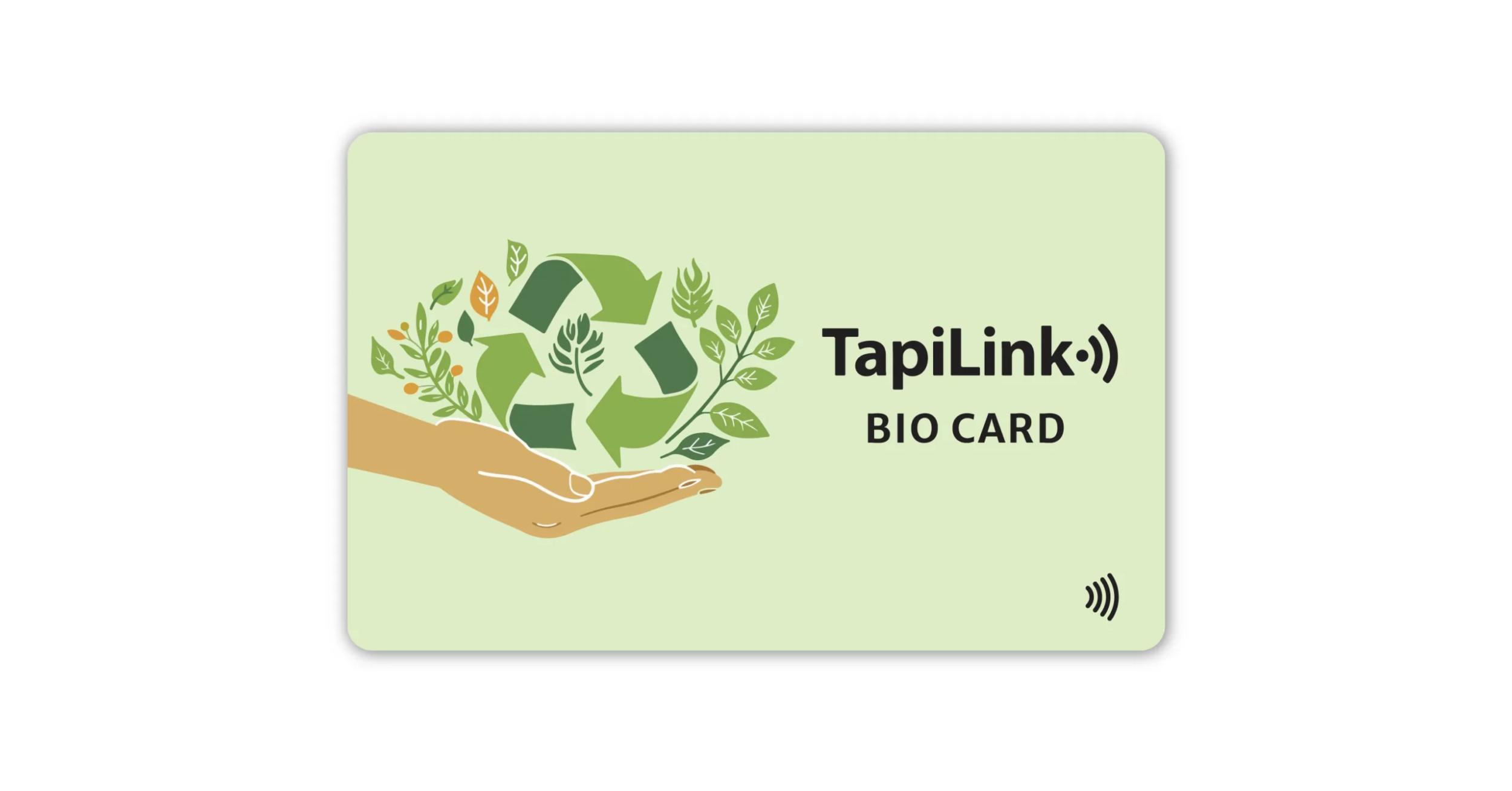
We sell all four materials inside our digital business card range, and our TapiLink Original Digital Business Card is the most popular choice for buyers who want the simplest, most forgiving tap experience. Our minimalist Bio Card does the same job in a cleaner matte finish.
Why Isn't My NFC Card Working at Full Range? 8 Common Causes
If your card is failing or only working when it physically touches the phone, the cause is almost never the card itself.
It is one of these eight things. Run through the list. Most issues clear up in under 60 seconds.
1. NFC is switched off on the phone
The single most common reason an Android NFC tap fails. Roughly 30% of all reported Android NFC failures come down to the NFC toggle being off in settings.
iPhones from the iPhone XR onwards have NFC enabled permanently. You cannot turn it off, which removes this whole problem.
Android phones often have NFC tucked inside Quick Settings, Connected Devices, or Connections. Find it. Switch it on. Try again.
2. Wrong part of the phone (the antenna location issue)
Already covered above, but worth repeating because it is the second most common failure cause. iPhone antenna at the top. Android antenna at the centre back.
If you tap the wrong area, the card cannot wake up. Distance is not the problem. Position is.
3. Phone case is blocking the signal
This one catches everyone out.
Thick wallet cases, magnetic mount cases, and metal-bodied protective cases all interfere with NFC. Some block it completely. Even a plastic phone grip with a small metal disc on the back can kill range entirely.
Quick test: if a tap fails, take the case off and try again. If it works without the case, the case is the problem. Switch to a slim silicone or thin plastic case for daily use.
4. The phone screen is locked
Most phones will not process an NFC tag when the screen is fully locked or off. This is a security feature.
Picture a Friday afternoon meeting. You hand someone your card. They have not unlocked their phone in five minutes, the screen is dark, the tap does nothing. They unlock it, tap again, and your profile opens instantly.
Make a habit of asking new contacts to unlock their phone first.
5. The card is bent or damaged
NFC chips are tough but the antenna is not.
A business card folded in half, snapped in a back pocket, or repeatedly stress-bent in a thin wallet can crack the antenna inside. The chip survives. The antenna does not.
If a card stops working entirely after physical damage, the antenna has likely failed. The chip is fine but cannot transmit.
6. Metal surface interference (desk, table, wallet)
If you place an NFC card flat on a metal desk or steel filing cabinet and try to tap it from above, the metal surface absorbs the signal.
Move the card to a wooden table, plastic tray, or hold it in your hand. Tap again. Works fine.
This matters most for review stands at reception counters. A metal counter under a card stand can drop tap reliability by half. Use a wooden, acrylic, or plastic stand surface instead.
7. Phone NFC reader is faulty or older model
iPhone 6 and older do not support NFC tag reading at all. They have NFC for Apple Pay only.
iPhone 7, 8, X support tag reading but require a third-party app on iOS versions older than iOS 13. iPhone XS, XR, and newer read NFC tags natively without any app.
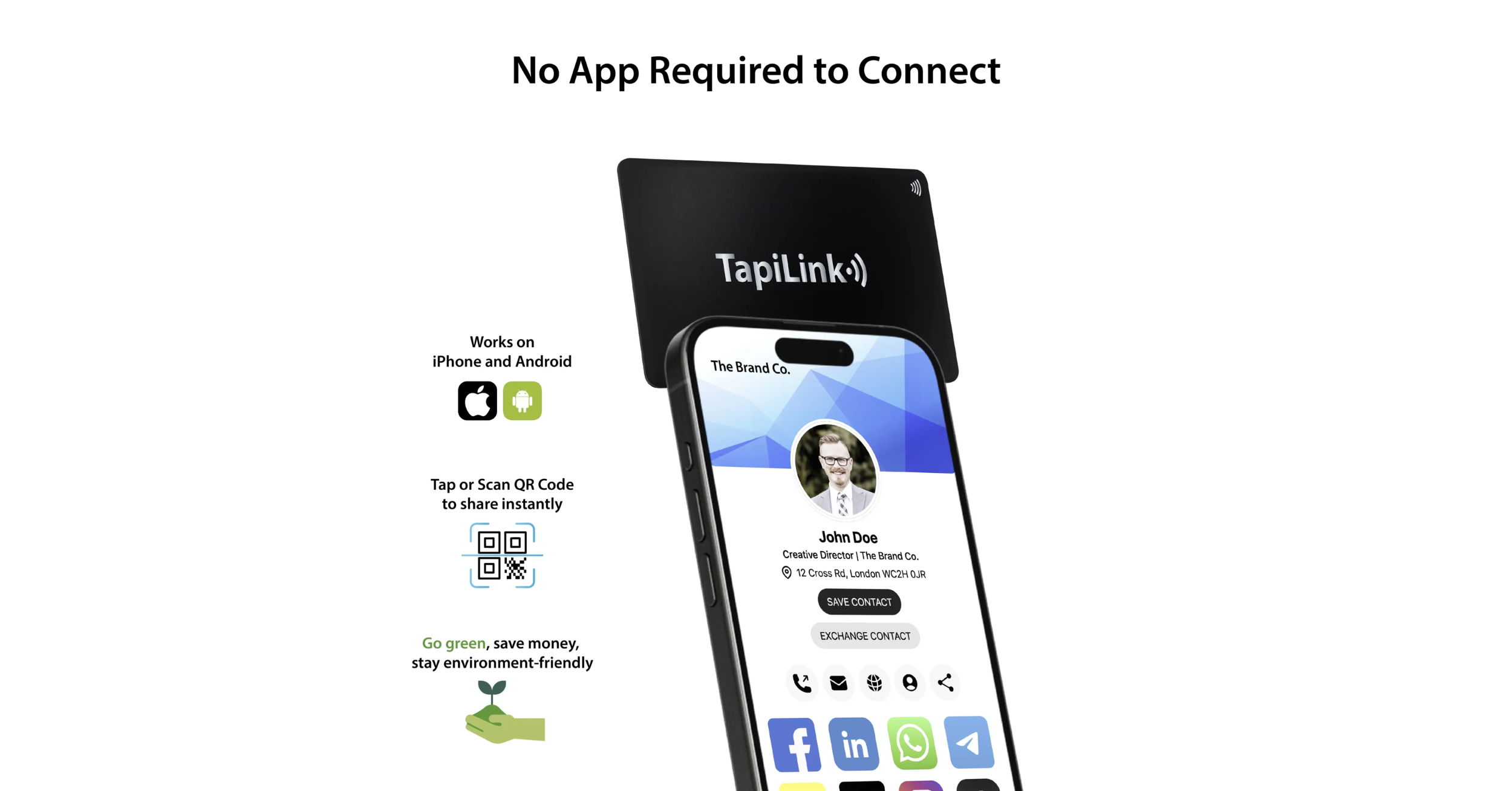
If you hand your card to someone with an older iPhone and nothing happens, that is the cause. The QR code on the back of every TapiLink card is the perfect fallback here.
8. Tap is too quick (under 1 second)
NFC needs time to wake up the chip and transfer data. Roughly 0.5 to 1 full second of contact.
A quick swipe-and-go tap often fails simply because the phone never finishes the handshake. Hold the card steady against the phone for one Mississippi. The read completes and the profile opens.
Confidence beats speed every time.
Is NFC Range a Security Risk? Can Someone Scan My Card Without Me Knowing?
Short answer? No.
The 4 cm working range that limits range also protects you. NFC was designed from day one to require deliberate, close contact. Nobody can scan your business card from a pocket or across a coffee shop.
Can someone scan my NFC card without me knowing?
The maximum theoretical NFC range is 10 cm. Even at that distance, an attacker would need a specialist reader, perfect alignment, and direct line of sight to your card. That kind of attack is documented in research labs, not real-world settings.
In practice, anyone trying to scan your card without your knowledge would need to physically place a phone within an inch or two of it. You would notice.
Compare that to longer-range RFID tags, which can be read from several metres away. NFC is the safest contactless format precisely because the range is so short.
Why short range protects your data
The shorter the range, the smaller the attack window.
A bank card with NFC payment enabled has a maximum useful read range of around 2 to 4 cm. That is by EMVCo design. It exists so that nobody can drain your account by walking past you with a hidden reader. The same principle protects your business card.
Range is your security. The "limitation" people complain about is the feature that makes the technology trustworthy.
What's actually stored on the chip?
This part surprises a lot of buyers.
The chip itself stores nothing personal. No phone number. No email. No address. All it holds is a single URL pointing to your TapiLink digital profile.
When someone taps the card, their phone opens that URL in a browser. Your profile loads. They see whatever you chose to display, nothing more, nothing less. You can update or delete the profile at any time, and the physical card has no idea what is on it.
If you lost the card tomorrow, anyone who found it would only see your public profile. They could not extract anything else from the chip.
How to Maximise NFC Tap Reliability at Networking Events
Range theory is one thing. The Tuesday morning chamber-of-commerce networking breakfast is another.
These five habits make every tap work, every time.
1. Hold the card steady for a full second. No quick swipes, no waving. Press the card flat against the phone and count one Mississippi. The chip needs that second to wake up, draw power, and transmit. A confident, slow tap beats five fast ones.
2. Make sure the recipient's phone is unlocked. Most phones will not process NFC tags on a locked screen. Before you hand the card over, a friendly "give your phone a quick unlock" saves a fumble.
3. Place the card on the right spot. Top edge for iPhones. Centre back for Androids. If you tap with strangers regularly, learn both.
4. Watch out for cases. Thick wallet cases and metal mount cases kill NFC. If a tap fails twice, ask the recipient to remove the case briefly. Works almost every time.
5. Use the QR code as a backup. Every TapiLink card has both NFC and a printed QR code on the same surface. If the tap fails for any reason, the recipient can simply scan the QR code with their camera. Same profile, same outcome, zero friction.
That last point matters. A card that has only one way to share is a card that fails when that way fails. Dual NFC plus QR is what makes a TapiLink card practically tap-proof at events.
Which TapiLink Card Gives the Most Reliable Tap?
You have made it through the technical detail. Here is the practical recommendation.
If you want maximum tap reliability across both sides of the card → choose PVC or eco-friendly PET. Both materials let the signal pass through both faces of the card, so you do not need to think about which side is up. The TapiLink Original Digital Business Card is the most popular pick here, with the Bio Card a close second for matte-finish lovers.
If you want a premium card and don't mind one-sided scanning → choose metal. Our metal range gives the best physical impression, lasts the longest, and once you know which side faces the phone, scanning becomes second nature. Browse the metal options inside our full digital business card collection.
If you tap in busy retail or counter environments → choose Bio Card or Original PVC. Dual-side scanning is a real-world advantage when you are passing the card to dozens of customers a week.
If sustainability matters most to your brand → choose eco-friendly PET. Same dual-side reliability as PVC, with a 20+ year lifespan and a recyclable material. The eco-friendly digital business cards range covers the full lineup.
Every TapiLink card uses the same premium NFC chip, the same dynamic profile platform, and ships with the same free design service. The card you choose shapes how it looks and how it feels in the hand. The tap experience itself is identical.
Tap With Confidence Every Time
Most "range problems" are not range problems at all. They are phone-position problems, case-interference problems, or simply tapping for half a second instead of one full second.
Get the basics right and your card taps every time. Top edge for iPhone. Centre back for Android. Hold steady. Let the chip do its work.
At TapiLink, every card we ship is factory-tested for tap reliability, includes both NFC and a printed QR code as a fallback, and comes with our free design service, free UK next-day delivery, no monthly fees, and a tree planted with every order.
Ready to pick a card that taps the first time, every time?
Browse the full digital business card collection and choose the one that fits your hand and your brand.
One tap. One second. Done. That is how it should always feel.
Frequently Asked Questions
Q. What is the maximum range of an NFC business card?
Answer: The maximum real-world range is around 4 cm. The theoretical maximum under the ISO/IEC 14443 standard is 10 cm, but consumer phones almost never reach that. For reliable taps, treat 1 to 2 cm as your working distance.
Q. Why does my NFC card only work when it touches the phone?
Answer: Three common causes. Wrong NFC antenna location on the phone, a thick or magnetic phone case blocking the signal, or NFC switched off in settings. Most cards work cleanly at 1 to 2 cm once those three are fixed.
Q. Does the phone case affect NFC range?
Answer: Yes, sometimes drastically. Metal, magnetic, and thick wallet cases can block the NFC signal entirely. Slim plastic and silicone cases usually have no measurable effect. If a tap fails, take the case off and try again.
Q. Where is the NFC reader on my phone?
Answer: On iPhones, near the top edge of the back of the phone. On Android phones, usually in the centre back near the camera. Slide a working NFC card across the back of the phone to find the exact sweet spot.
Q. Can someone scan my NFC business card without me knowing?
Answer: No. NFC works only at very close range, under 10 cm even in theory. A scan requires direct phone proximity to the card, which you would notice. The chip stores only a URL, not personal data, and cannot be read from a pocket or across a room.
Ready to revolutionize your networking approach? Explore TapiLink's range of premium NFC business cards and join the thousands of professionals who've already made the smart choice.