Most car dealers miss out on valuable AutoTrader reviews, not because customers are unhappy, but because the process is slow or forgotten after the sale. We often see great buying experiences go unreviewed simply due to extra steps, delays, or lack of a clear prompt at the right moment.
The easiest way to collect AutoTrader reviews instantly is to remove friction and give customers direct access to the review page. This can be done by combining AutoTrader’s official review request system with simple tap or scan tools like QR and NFC. When the process is fast and visible, more customers complete their reviews.
This matters because recent, verified reviews directly impact trust, dealership visibility, and customer decisions. More reviews can mean more enquiries and higher conversions.
At Tapilink, we help businesses collect reviews faster using QR and NFC AutoTrader review cards and review stands designed for real-world use. In this article, we will show you how to get more AutoTrader reviews easily and consistently.
What Are AutoTrader Reviews and Why They Matter for Dealerships
I have seen many dealerships deliver a great customer experience, yet walk away without a single review. One missed moment can cost future sales. In fact, research shows that around 90% of UK consumers read online reviews before making a purchase, which makes visibility on platforms like AutoTrader critical for trust and conversions.
What Are AutoTrader Dealer Reviews
AutoTrader dealer reviews are verified customer feedback linked to real vehicle purchases. These reviews are usually collected through AutoTrader’s official system and help build a dealership’s public rating.
In simple terms, AutoTrader reviews show:
- Real buying experiences
- Star ratings based on customer satisfaction
- Public responses from dealerships
Why Recent Reviews Impact Trust and Sales
AutoTrader focuses heavily on recent reviews within the last 12 months, which directly affect your visible rating. That means even a strong reputation can drop if new reviews slow down.
Recent reviews help you:
- Build immediate buyer confidence
- Improve dealership credibility in local UK searches
- Increase enquiry and showroom visits
A steady flow of fresh reviews signals that your dealership is active, reliable, and trusted right now, not just in the past.
AutoTrader reviews are not just feedback, they are a powerful sales driver. Next, let’s look at how to consistently collect more reviews without chasing every customer manually.
How to Get More AutoTrader Reviews Without Chasing Customers
Most dealers assume they need to follow up again and again to get reviews. In reality, the smartest approach is to make the process easy enough that customers complete it without reminders.
Use AutoTrader Official Review Requests
The first step is using AutoTrader’s built-in review system. You can send:
- Single review requests after each sale
- Bulk requests for multiple customers
Ask at the Right Time After the Sale
Timing is critical. AutoTrader recommends sending requests within 24 to 72 hours after purchase, when the experience is still fresh.
From real dealership experience, this is when customers:
- Feel most satisfied
- Are more likely to respond
- Remember details clearly
Avoid asking too late, because interest drops quickly.
Remove Friction From the Review Process
This is where most dealerships lose reviews.
If a customer has to search for your dealership, log in, or follow multiple steps, they often give up. The easiest way to fix this is to provide instant access to your review page.
At Tapilink, we solve this with:
These allow customers to:
- Tap their phone or scan a code
- Open the review page instantly
- Leave feedback in seconds
When you combine AutoTrader’s official requests + instant tap access, review completion rates improve significantly because there is no friction.
What Is the Easiest Way to Collect AutoTrader Reviews Instantly
I have seen customers walk out of a dealership genuinely happy, saying “I will leave a review later,” and most of the time, it never happens. Not because they did not want to, but because it took too many steps. That small delay is where most reviews are lost.
The easiest way to collect AutoTrader reviews instantly is to give customers direct access to your review page at the exact moment they are ready, without searching, typing, or waiting. This means combining AutoTrader’s official review process with a tap or scan solution that removes friction completely.
How QR and NFC Review Cards Work
QR and NFC review cards are simple tools that connect customers directly to your AutoTrader review page.
Here is how they work:
- Customer taps their phone on an NFC card or scans a QR code
- The review page opens instantly on their device
- They can leave feedback within seconds
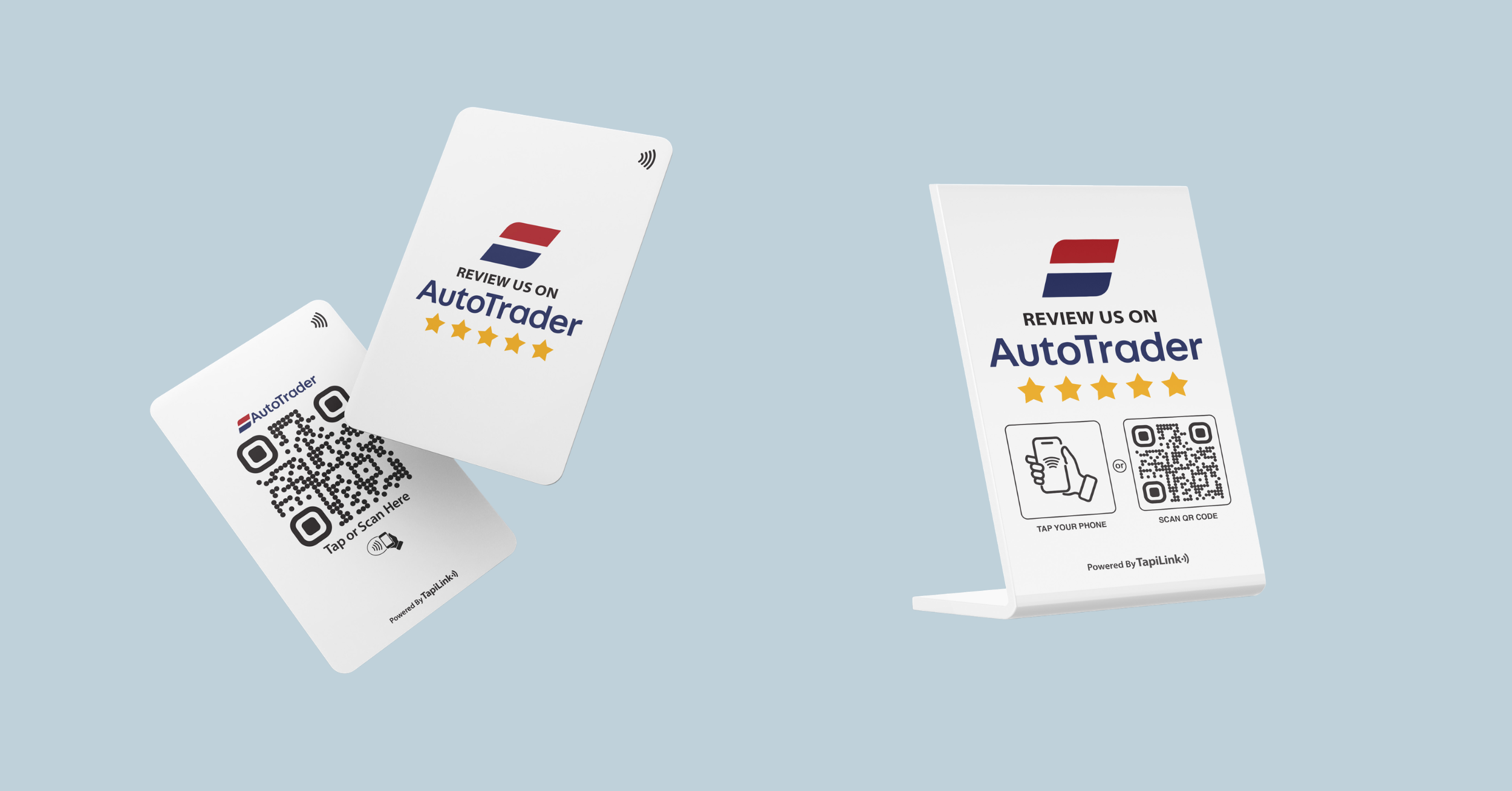
With Tapilink’s QR & NFC AutoTrader Review Card, this process becomes part of your normal dealership workflow, especially at the handover or checkout stage.
Why Tap to Review Increases Completion Rates
When the process is instant, more people complete it. Studies on user behaviour consistently show that reducing steps improves completion rates, especially for actions like reviews.
Tap-to-review works because:
- It eliminates the need to search for your dealership
- It reduces drop-off during the process
- It captures feedback while the experience is still fresh
Instead of asking customers to remember later, you make it easy for them to act now.
Best Places in Your Dealership to Collect More Reviews
Even with the right tools, placement matters. I have seen dealerships double their review flow just by moving where they ask. The goal is simple, be visible at the right moment.
Sales Desk and Vehicle Handover Area
This is the most powerful spot because it is where the customer feels the highest satisfaction. Right after completing paperwork or receiving the keys, customers are more willing to leave a review.
Place your review card or stand:
- On the sales desk
- At the vehicle handover point
- Near final paperwork signing
Reception and Waiting Areas
Reception is another high-visibility area where customers naturally spend time. A well-placed review stand can gently remind them without pressure.
Best placement includes:
- Front desk counters
- Waiting lounges
- Service reception areas
The key is visibility plus timing. When customers see a simple tap option, they are far more likely to act.
Common Mistakes That Reduce Your AutoTrader Reviews
Many dealerships think they are doing everything right, yet reviews remain low. From what I have seen, it usually comes down to a few simple mistakes that create unnecessary friction.
Asking Too Late or Not Asking at All
Timing is critical. AutoTrader recommends requesting reviews within 24 to 72 hours after the sale, when the experience is still fresh.
When you delay:
- Customers forget details
- Motivation drops
- Response rates decrease
The best results come when you combine timely requests with an immediate way to leave the review.
Making Customers Search for Your Review Page
This is the biggest conversion killer.
If a customer has to:
- Open AutoTrader manually
- Search your dealership name
- Navigate to the review section
Most will not complete the process.
This is exactly why tools like Tapilink’s review cards and stands matter. They remove all unnecessary steps and guide the customer directly to the action.
AutoTrader Review Requests vs Instant Tap to Review Method
I have seen dealerships rely only on email or SMS review requests and wonder why response rates stay low. The truth is simple, if a customer has to come back later, most will not.
Key Differences in Customer Effort
AutoTrader’s official review request system is essential, but it still depends on follow-up and customer action after leaving the dealership.
Here is the real difference:
- AutoTrader requests
- Sent via email or portal
- Requires customer to open later
- Higher drop-off rate
- Instant tap to review
- Done on the spot
- Opens review page instantly
- Higher completion rate
Reducing effort means more reviews. The fewer steps a customer takes, the more likely they finish the process.
Why Combining Both Methods Works Best
The most effective dealerships do not choose one method, they use both.
- Use AutoTrader requests for verified follow-up
- Use tap or scan tools for instant action
- Capture both immediate and delayed reviewers
This creates a consistent flow of reviews instead of relying on one channel.
How to Respond to AutoTrader Reviews and Build Trust
Getting reviews is only half the job. I have seen dealerships increase enquiries just by improving how they respond to feedback.
Best Practices for Replying to Reviews
Every response is public, and future buyers are reading it.
Follow these simple practices:
- Reply to every review, both positive and negative
- Keep your tone polite, professional, and human
- Thank customers and mention specific details when possible
Consistent responses show that your dealership is active and cares about customer experience.
Handling Negative or Unfair Reviews
Negative reviews can feel frustrating, but they are also an opportunity.
- Stay calm and avoid defensive language
- Acknowledge the issue and offer a solution
- Take the conversation offline when needed
Handled correctly, even negative reviews can build trust and credibility.
Strong responses turn reviews into a marketing asset. Next, let’s look at the tools that make collecting these reviews easier in the first place.
Best Tools to Collect AutoTrader Reviews for Dealerships
I have worked with dealerships that struggled for months to increase reviews, then saw results in weeks after using the right tools. The difference is always the same, simplicity and visibility.
AutoTrader Review Cards
Review cards are one of the easiest ways to collect feedback instantly.
With Tapilink’s QR & NFC AutoTrader Review Card:
- Customers tap or scan to open your review page
- No typing or searching is needed
- Works for both Android and iPhone users
These are ideal for sales desks and handover moments.
AutoTrader Review Stands
Review stands are designed for visibility and passive collection.
With Tapilink’s AutoTrader Review Stand:
- Placed at reception or counters
- Encourages reviews without staff prompting
- Acts as a constant reminder for customers
The right tools make review collection part of your daily workflow, not an extra task. Now, let’s wrap everything together and look at the key takeaways.
Conclusion
Getting more AutoTrader reviews does not come down to chasing customers, it comes down to timing, simplicity, and making the process effortless. When you combine AutoTrader’s official review requests with instant access through tap or scan, you remove the biggest barrier that stops customers from completing reviews. Placing the right tools in key areas, asking at the right moment, and responding professionally to feedback all work together to build trust, improve visibility, and increase enquiries.
At Tapilink, we support dealerships with practical solutions like QR and NFC AutoTrader review cards and review stands that make review collection fast and seamless. Our products are designed for real dealership environments where speed and ease matter most. If you want to increase your AutoTrader reviews consistently, visit our store or get in touch to find the right setup for your business.
Ready to revolutionize your networking approach? Explore TapiLink's range of premium NFC business cards and join the thousands of professionals who've already made the smart choice.