Knowing what to put on a digital business card matters more than most people think. The card itself may get someone to tap or scan, but the profile behind it decides what happens next.
That is where many people get it wrong.
They add every link they have. Website, LinkedIn, Instagram, TikTok, booking page, PDF, brochure, payment link, three phone numbers, and a paragraph about who they are.
Too much information slows people down.
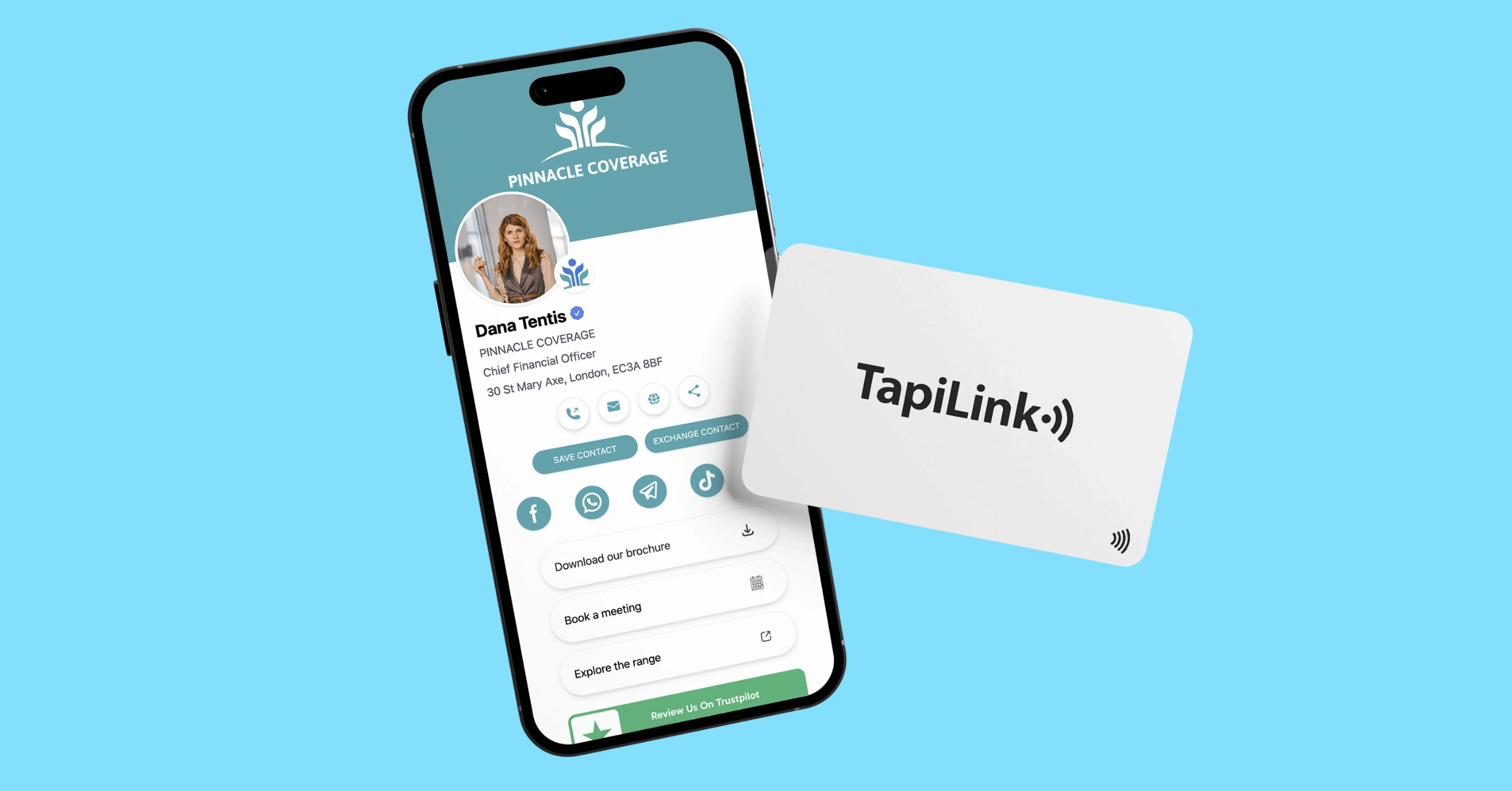
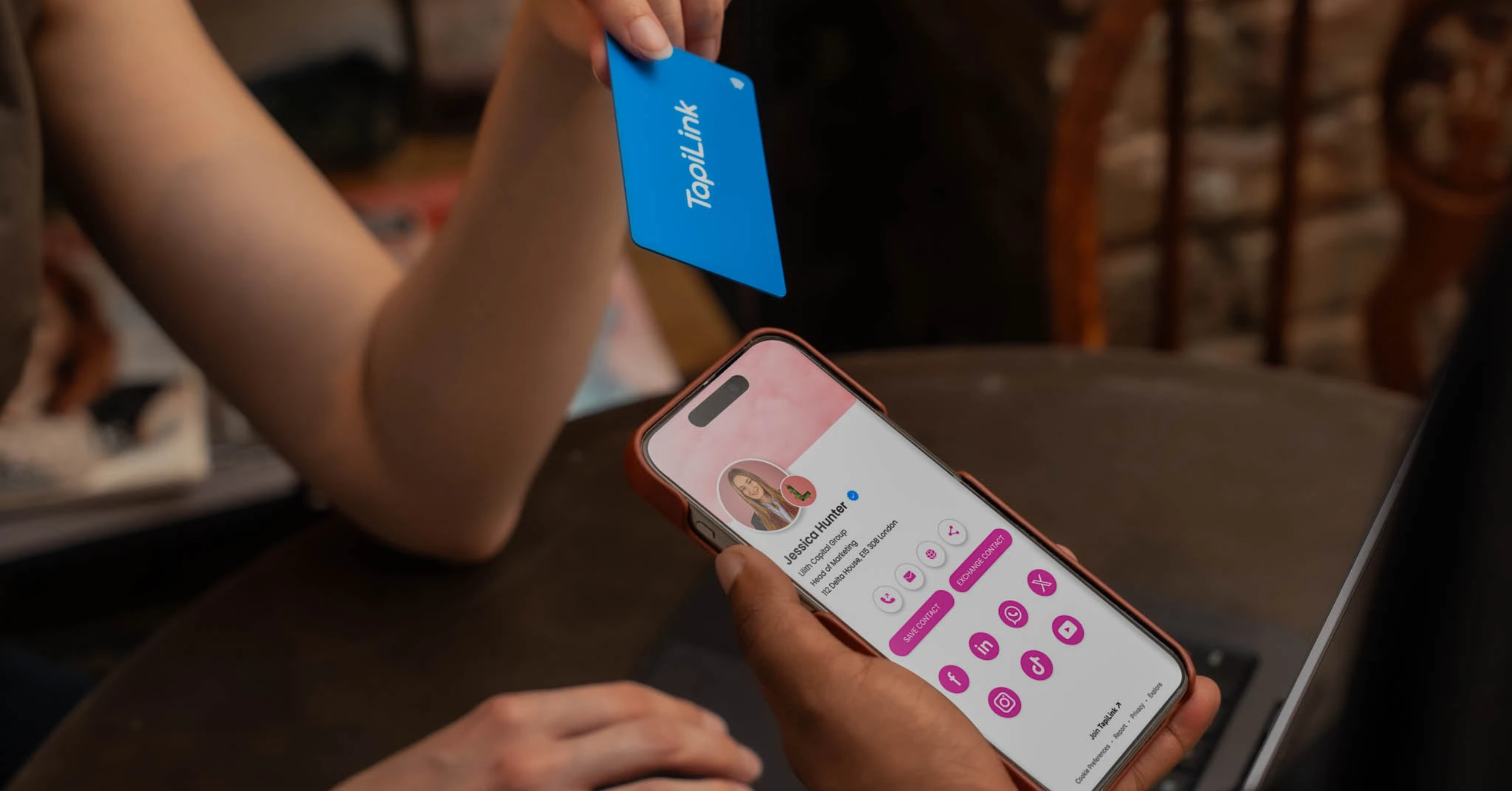
A digital business card is a smart contact-sharing profile that opens when someone taps an NFC card or scans a QR code. It can show your name, contact details, website, social links, booking page, portfolio, reviews, or any important business link in one easy place.
The goal is not to include everything.
The goal is to make it easy for the other person to take the right next step.
At TapiLink, we help UK professionals and businesses create Digital Business Cards with NFC tap sharing, QR code backup, custom branding, and editable profiles. That means your card can keep working even when your phone number, website, job title, or main offer changes.
In this guide, we’ll cover what details to add, which links matter most, what to leave out, and how to set up your digital business card so it actually helps people remember and contact you.
Why Your Digital Business Card Profile Matters
The tap gets attention.
The profile decides whether that attention turns into a saved contact, a website visit, a booking, a message, or nothing at all.
That is why the profile behind your digital business card needs proper thought. It should not feel like a random list of links. It should feel clear, useful, and easy to act on.
The tap gets attention
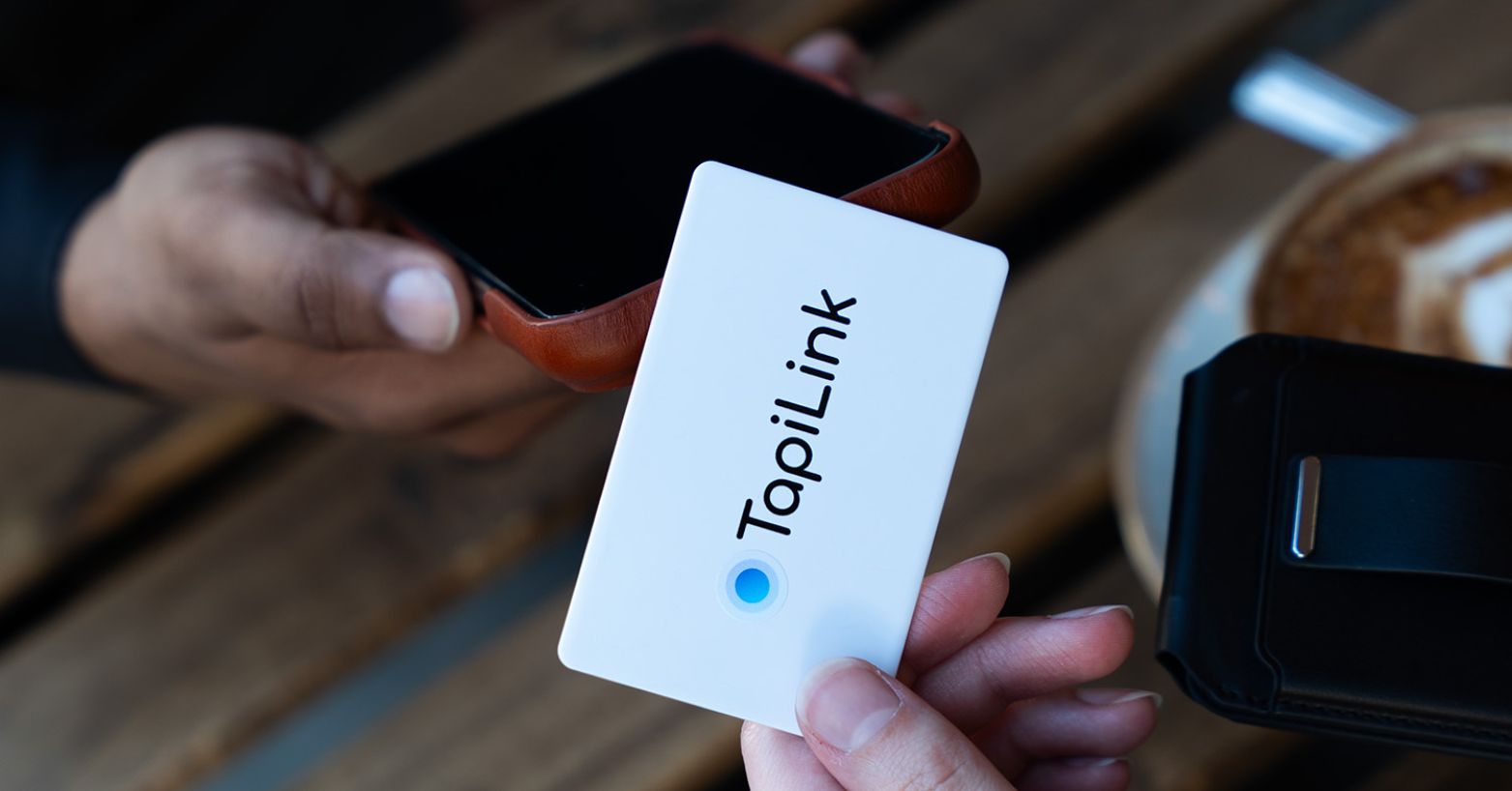
NFC tap sharing feels impressive because it is quick.
Someone taps your card, and your profile opens on their phone. That moment is useful because the person is already engaged. They are standing with you, talking to you, and interested enough to open your details.
Do not waste that moment with a messy profile.
The profile creates action
A good profile guides the person towards the next step.
That might be saving your number, connecting on LinkedIn, booking a call, visiting your website, checking your portfolio, or messaging you on WhatsApp.
If the profile is clear, they know what to do.
If it is crowded, they hesitate.
And hesitation is where follow-up dies.
Clarity matters more than quantity
More links do not always make your digital card better.
A profile with six useful items is often stronger than one with twenty weak ones. Most people will not study every link after a quick meeting. They will look for the easiest next step.
Make that step obvious.
For most professionals, the best profile starts with clear contact details, one main action button, and a few supporting links that help the person trust you or contact you faster.
Essential Details to Put on a Digital Business Card
Start with the details people need first.
Not every visitor will check your website, portfolio, or social links. Some will simply want to save your number or email you after the meeting. Make that easy.
A digital business card should feel clear within seconds.
Start with your name and role
Your name should be the easiest thing to see.
Then add your job title or role. Keep it simple. “Business Development Manager” is clearer than a clever phrase that sounds good but tells people nothing.
If you run your own business, add your company name near the top too. The person should know who you are, what you do, and which business you represent without having to scroll.
Add the contact details people actually use
Add your phone number and email address if you want people to contact you directly.
For many UK professionals, phone and email are still the two most important contact routes. If WhatsApp is part of your normal client communication, include that too.
Do not add three different phone numbers unless there is a real reason.
That creates confusion.
Include your website or main business page
Your website gives people a place to understand your business properly.
For a consultant, it may explain services. For an estate agent, it may show listings. For a designer, it may show work. For a clinic or salon, it may show treatments and bookings.
Link to the most useful page, not always the homepage.
If you want enquiries, send people to the enquiry page. If you want bookings, send them to the booking page. If you want them to see your work, send them to the portfolio.
Use a photo or logo for recognition
A photo helps when the card is connected to a personal brand.
A logo works better when the profile represents a company or team member. Either way, the image should look clean, sharp, and professional on mobile.
Avoid low-quality screenshots, stretched logos, or old profile photos.
The person may open your card after meeting several people. A clear photo or brand logo helps them remember who you are.
The Most Important Links to Add
A digital business card should not become a storage place for every link you own.
The best links are the ones that help the person take the next step after meeting you. That next step could be saving your details, booking a call, viewing your work, checking reviews, or contacting you directly.
Choose links with a purpose.
Add LinkedIn if you network professionally
For consultants, recruiters, founders, salespeople, and B2B professionals, LinkedIn is often one of the most useful links to include.
It helps people check your role, experience, company, and mutual connections. It also gives them a simple way to stay connected after the first conversation.
If LinkedIn is where your professional relationships continue, add it near the top.
Add WhatsApp if quick replies matter
WhatsApp is useful when your clients prefer fast, direct contact.
Estate agents, local service businesses, clinics, salons, and consultants often use it because people can send a quick message without opening email.
But only add WhatsApp if you actually respond there.
A button that nobody replies to is worse than no button at all.
Add a booking link if calls drive your business
If your business depends on consultations, discovery calls, demos, viewings, or appointments, a booking link can be one of the strongest links on the profile.
It removes the back-and-forth.
Instead of saying, “Email me and we’ll arrange a time,” you can let the person pick a slot while they are still interested.
That is useful for consultants, coaches, recruiters, sales teams, clinics, and service businesses.
Add reviews if trust is important
If people usually check proof before contacting you, add a review or testimonial link.
This works well for salons, clinics, tradespeople, estate agents, restaurants, hotels, coaches, and local businesses. A strong review profile can support the conversation you already started in person.
Do not hide trust signals at the bottom.
If reviews help people choose you, make them easy to find.
Add portfolio links if people need proof
Designers, photographers, marketers, developers, architects, consultants, and creative professionals should make their work easy to view.
A portfolio link gives people proof without forcing them to search your name later.
Keep it focused. Send them to your best work, not a page full of everything you have ever done.
The link should make the decision easier, not slower.
Choose One Main Action Button
Your digital business card should not make people think too hard.
After someone opens your profile, they should know what to do next within a few seconds. That is why one main action button matters. It gives the profile a clear direction.
Everything else can support that action.
For consultants: Book a call
If you sell advice, strategy, coaching, or professional services, your main action should usually be booking a call.
That call is where the real conversation happens.
Your profile can still include your website, LinkedIn, email, and testimonials. But the main button should guide serious prospects towards a proper discussion.
Use simple wording like “Book a Call” or “Schedule a Consultation”.
For estate agents: Message on WhatsApp
Estate agents often need fast replies.
A buyer may want to ask about a property. A landlord may want a valuation. A seller may want to speak before choosing an agent.
For that reason, WhatsApp can be a strong main action button.
It feels quick and direct. It also works well after property viewings, local networking events, and landlord meetings where the next step is usually a conversation, not a long form.
For designers: View portfolio
A designer, photographer, architect, marketer, or creative professional needs to show proof.
In that case, the main action should lead people to the work.
A portfolio button lets the person understand your style before they contact you. It also saves you from explaining everything in the first meeting.
Make sure the portfolio opens cleanly on mobile. Most people will check it from their phone.
For recruiters: Connect on LinkedIn
Recruiters often work through relationships.
A candidate may not need a call straight away. A hiring manager may want to stay connected. A founder may want to check your background before sending a role.
LinkedIn is useful because it keeps the relationship warm after the first meeting.
For recruiters, “Connect on LinkedIn” can be stronger than sending people to a general website.
For sales teams: Request a quote or view offer
Sales teams need the profile to support lead generation.
That might mean a “Request a Quote” button, a product offer page, a demo booking link, or a direct contact button. The best choice depends on the sales process.
Do not make every salesperson guess.
For teams, the main action should be consistent across the brand. That way, each card supports the same customer journey, even when different team members are using it.
What Not to Put on a Digital Business Card
A digital business card should make contact easier.
It should not feel like a mini website, a social media directory, and a company brochure all squeezed into one mobile screen. When the profile gets too crowded, people stop looking.
Keep it useful. Cut anything that does not help the next step.
Do not turn it into a full website
Your digital card is not meant to explain your whole business.
It should introduce you, show the most useful contact options, and guide people to the right place. If someone wants full details, send them to your website, service page, portfolio, or booking page.
The card profile should be the doorway, not the whole building.
Do not add every social profile
Only add social links that support your business.
If LinkedIn helps you build professional trust, add it. If Instagram shows your work, add it. If TikTok is part of your marketing, add it.
But do not add social profiles just because they exist.
A half-used account with old posts can weaken the impression. It is better to show two strong links than six weak ones.
Do not use outdated details
Old details make the whole profile feel careless.
Check your phone number, email address, job title, website, booking link, and social links before you share the card. If one important link is broken, the person may not try another one.
They will just move on.
This is where an editable digital profile matters. If your details change, update the profile before your next meeting or event.
Do not make people guess the next step
Too many buttons can confuse people.
Should they call you, message you, book a meeting, view your portfolio, follow you, read reviews, or visit your website? If everything is presented with the same importance, the profile has no direction.
Choose one main action.
Then use the other links as support.
Do not use a weak photo or messy branding
A blurry photo, stretched logo, or mismatched colours can make the profile feel unfinished.
Your digital card may be the first branded page someone sees after meeting you. It should look clean on a phone screen. That does not mean it needs to be complicated.
Simple usually looks better.
Use a clear photo, a sharp logo, readable text, and colours that match your brand.
What to Put on a Digital Business Card by Profession
Different jobs need different profiles.
A consultant does not need the same setup as an estate agent. A recruiter does not need the same links as a designer. The best digital business card profile should match how you meet people, what they need to see, and what you want them to do next.
Use these examples as a starting point.
Consultants and coaches
Consultants and coaches should build the profile around trust and booking.
Add your name, role, email, LinkedIn, services page, and a clear booking link. If you have testimonials or case studies, include one strong proof link as well.
The main action should usually be simple: book a call.
After a good conversation at an event or workshop, the other person should not need to search your website to find the next step.
Estate agents
Estate agents need speed and direct contact.
Add your phone number, email, WhatsApp, website, property listings, valuation page, and LinkedIn. If you work in a specific area, mention your location or service area clearly.
The profile should make it easy for landlords, sellers, buyers, and developers to contact you quickly.
For many estate agents, WhatsApp works well as the main action because property conversations often start with a fast message.
Sales professionals
A sales profile should support follow-up.
Add your name, company, phone number, email, website, product page, offer page, and booking link. If you sell face to face at expos, trade shows, or networking events, make the next step obvious.
Do not overload the profile with every product your company sells.
Send people to the most relevant offer, demo, quote page, or contact route. Sales works better when the path is simple.
Recruiters
Recruiters should make relationship-building easy.
Add your phone number, email, LinkedIn, calendar booking link, company page, and job page. If you work with both candidates and employers, keep the profile clear enough for both audiences.
LinkedIn is usually important here.
A candidate may want to connect. A hiring manager may want to check your experience. A business owner may want to send a vacancy later. Make each route easy to find.
Designers and creatives
Designers and creatives need proof fast.
Add your portfolio, website, email, enquiry button, and one or two strong social links if they show your work properly. Instagram, Behance, Dribbble, or LinkedIn may be useful depending on the type of work you do.
Do not send people to a messy portfolio.
Choose your best work, not all your work. The profile should make someone think, “I want to see more,” not “Where do I start?”
Salon, clinic, or service business owners
Service businesses should focus on booking and trust.
Add your booking page, services page, contact number, WhatsApp if used, reviews, Instagram, location, and opening hours. For salons, clinics, barbers, beauty studios, and wellness businesses, people usually want quick answers.
Can they book?
Where are you based?
What services do you offer?
Do other customers trust you?
Put those answers where people can find them quickly.
How to Keep Your Digital Business Card Simple
Simple does not mean empty.
It means the profile is easy to understand, easy to use, and easy to act on. Someone should be able to open your digital business card and know who you are, what you do, and what to do next within a few seconds.
That is the test.
Put contact details near the top
Your most important details should not be buried.
Put your name, role, company, phone number, email, and main contact option near the top of the profile. If someone opened your card because they want to contact you, do not make them hunt for the basics.
A digital profile should feel faster than a printed card, not slower.
Keep link labels short
Link labels should be clear.
Use labels like “Book a Call”, “Visit Website”, “Connect on LinkedIn”, “View Portfolio”, “Message on WhatsApp”, or “Read Reviews”.
Avoid clever wording that makes people think.
The person viewing your card may be standing at an event, walking between meetings, or checking your profile later from a train. Clear labels help them act quickly.
Limit distractions
Every extra link creates another decision.
That does not mean you should only have one link. It means every link should earn its place. If a button does not help someone contact you, trust you, book you, view your work, or understand your business, remove it.
A clean profile feels more professional.
A crowded one feels like work.
Test before sharing
Open your digital business card on your own phone before using it properly.
Then test it on someone else’s phone. Check the tap, scan the QR code, open each link, and look at the profile on mobile data as well as WiFi.
Small issues are easy to fix before an event.
They are much more awkward when someone is standing in front of you waiting for the page to load.
Digital Business Card Examples: Good Profile Setups
A good profile setup depends on what you want the other person to do next.
Some people need quick contact. Some need proof. Some need a booking link. Some need a clean team profile that keeps everyone on-brand.
Here are a few simple setups that work well.
Simple professional setup
This setup works for consultants, managers, freelancers, and business owners who mainly want people to save their details.
Add your name, role, company, phone number, email, website, and LinkedIn.
Use one main button, such as “Save Contact” or “Connect on LinkedIn”. Keep the rest of the profile short. The goal is to make you easy to contact, not to show everything you have ever worked on.
Sales-focused setup
A sales profile should make follow-up easy.
Add your name, company, phone number, email, product or service page, booking link, and WhatsApp if you use it for client conversations.
The main button should match the sales process. If calls matter, use “Book a Demo” or “Book a Call”. If quick enquiries matter, use “Request a Quote” or “Message on WhatsApp”.
Do not send people to a general homepage if there is a better page for the offer you discussed.
Creative portfolio setup
Creative professionals need the profile to show proof quickly.
Add your name, service, portfolio, website, enquiry button, and one strong social profile if it supports your work. For some creatives, Instagram may be useful. For others, LinkedIn, Behance, or a portfolio website may be stronger.
Keep the profile visual, but do not make it heavy.
The person should be able to open your best work quickly from their phone.
Team member setup
A team profile should feel consistent across the business.
Add the team member’s name, role, company logo, phone number, email, LinkedIn, and company page. If the team works in sales, recruitment, property, or consulting, add a booking link or enquiry page as the main action.
This is where brand consistency matters.
If every team member uses different wording, different links, and different images, the business can look messy. A clean shared structure makes the team feel more professional.
For larger teams, TapiLink’s TapiLink for Teams can help keep digital business card profiles more consistent across staff, departments, and client-facing roles.
How Often Should You Update Your Digital Business Card?
A digital business card should not be a “set it once and forget it” tool.
The whole point is that your profile can move with your business. If your details change but your profile stays old, the card starts creating the same problem as a printed card.
Check it regularly, especially before you use it at an event.
Check it before every event
Before a networking event, trade show, client meeting, workshop, or conference, open your digital card profile and test the important links.
Check your phone number, email, website, booking link, LinkedIn, WhatsApp, and main action button.
It takes a minute.
That one minute can save you from handing over a card that sends people to the wrong place.
Update links when your business changes
Your profile should change whenever your business changes.
If you launch a new service, update your website, change your offer, add a booking page, or move to a new role, update the card profile before your next meeting.
This is one of the biggest advantages of a TapiLink digital business card. You can update the digital profile without reprinting the physical card.
Remove anything outdated
Old links make the profile feel neglected.
Remove expired offers, old portfolios, outdated PDFs, broken social links, and pages that no longer match your work.
Do not keep a link just because it used to be useful.
A cleaner profile is usually stronger. The person viewing it should only see what helps them contact you, trust you, or take the next step.
Final Checklist Before You Share Your Digital Business Card
Before you use your digital business card at a meeting, event, viewing, workshop, or client visit, do one final check.
Do not assume everything works.
Open the profile the same way someone else will open it. Tap the card. Scan the QR code. Look at the page on a phone, not just on a desktop screen.
Use this checklist before you share it:
- Your name and job title are correct. Make sure they match how you introduce yourself in real conversations.
- Your phone number works. Tap the number from the profile and check that it starts a call properly.
- Your email address opens correctly. A small typo can cost you an enquiry.
- Your website link goes to the right page. Send people to the most useful page, not always the homepage.
- Your main action button is clear. The person should know whether to book, call, message, connect, or view your work.
- Your LinkedIn or social links are correct. Remove any profile that does not support your business.
- Your photo or logo looks professional. Check that it is not blurry, stretched, cropped badly, or outdated.
- Your QR code works. Scan it from another phone if possible.
- Your NFC tap works. Test the card on more than one modern smartphone before using it in public.
- Your profile looks good on mobile. Most people will open it from a phone, so mobile layout matters most.
- Your links load quickly. If a page takes too long to open, people may close it.
- Your profile is not overloaded. If there are too many buttons, remove the ones that do not support the next step.
A digital business card should make follow-up feel easier.
If the profile is clear, current, and tested, you can share it with more confidence.
Frequently Asked Questions
What should I put on a digital business card?
Put the details that help someone understand who you are and contact you quickly. At minimum, include your name, role, company, phone number, email address, website, and one clear action button. You can also add LinkedIn, WhatsApp, booking links, reviews, or a portfolio if they support your business. The best digital business card profile is clear, not crowded.
Should I add social media links to my digital business card?
Yes, but only if those social media profiles help your business. LinkedIn is useful for professional networking, recruitment, consulting, sales, and B2B work. Instagram can work well for salons, clinics, designers, photographers, food businesses, and visual brands. Do not add social links that are inactive, personal, outdated, or unrelated to the way you want clients to see you.
How many links should a digital business card have?
Most digital business card profiles work best with a small number of useful links. Around 4 to 7 strong links is usually enough for many professionals. That might include your website, LinkedIn, WhatsApp, booking page, portfolio, reviews, and one main contact option. If every link feels important, the profile can become confusing.
Should a digital business card include a photo?
A photo can help if your business depends on personal trust. Consultants, coaches, estate agents, recruiters, founders, and freelancers often benefit from adding a clear professional photo because it helps people remember who they met. For company or team cards, a clean logo may work better. Avoid low-quality photos, old headshots, or images that do not match your brand.
Can I update my digital business card after sharing it?
Yes, if your digital business card uses an editable profile. That means you can update your phone number, email, website, job title, booking link, social links, or main action button without changing the physical card. This is one of the biggest advantages over printed business cards. Your card can keep working even when your business details change.
Conclusion
A digital business card should not include everything.
It should include the right things.
The goal is simple: help someone remember who you are, understand what you do, and take the next step without searching for you later. That might mean saving your number, booking a call, opening your portfolio, messaging you on WhatsApp, reading your reviews, or connecting on LinkedIn.
Keep the profile clear. Put the most useful details first. Choose one main action button. Remove anything that does not support the follow-up.
That is how a digital business card becomes more than a smart way to share contact details. It becomes a better networking tool.
TapiLink helps UK professionals and businesses create digital business cards with NFC tap sharing, QR code backup, custom branding, and editable profiles, so your details can stay current without reprinting the card.
Ready to build a profile that is easy to share and easy to act on?
Explore our Digital Business Cards and choose the style that fits your brand.
Ready to revolutionize your networking approach? Explore TapiLink's range of premium NFC business cards and join the thousands of professionals who've already made the smart choice.