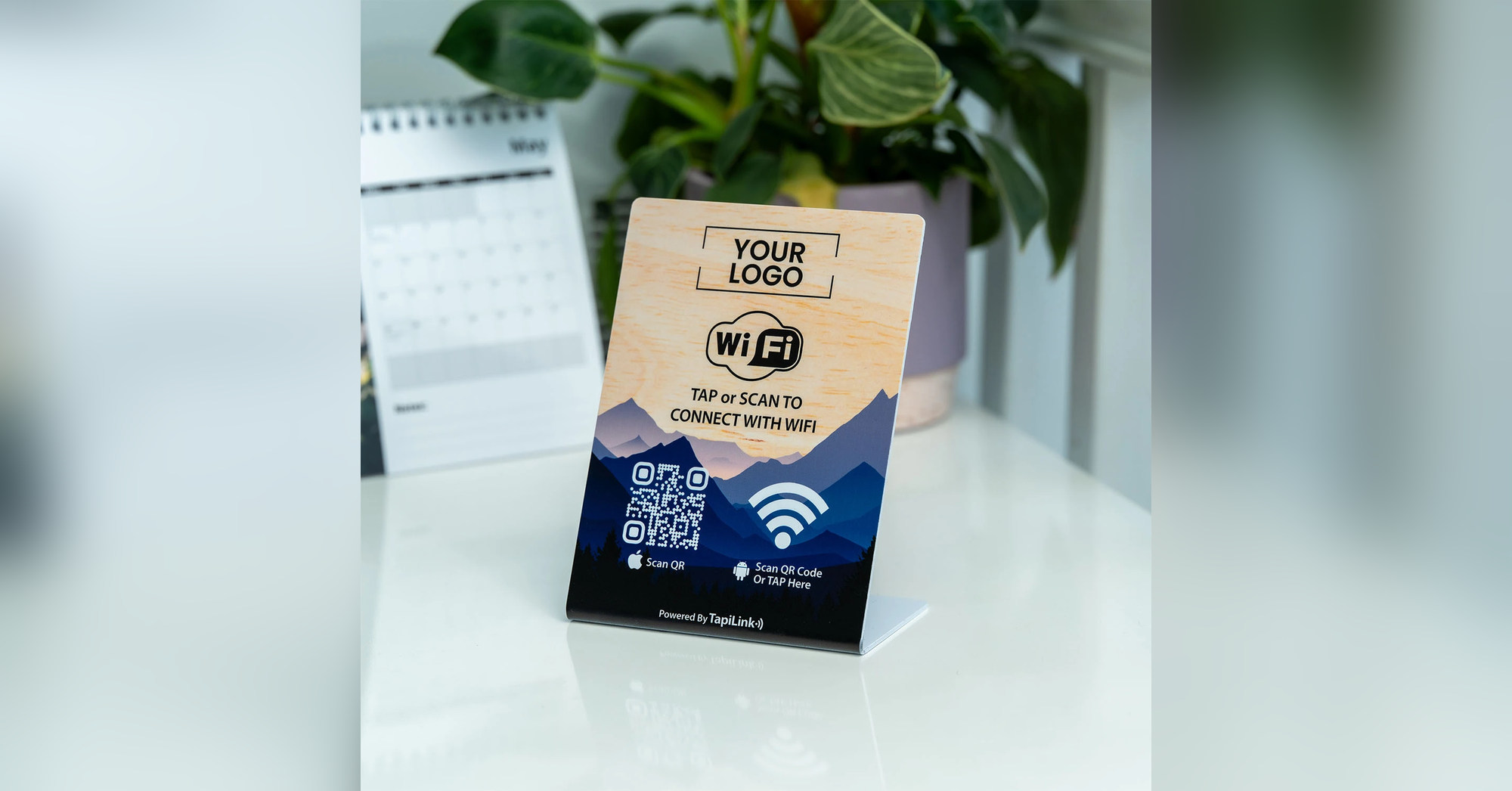
A WiFi card for Airbnb helps guests find your network details through a QR scan or compatible NFC tap. Choose a card for welcome folders, a stand for visible instructions, or a premium display that complements your property’s interior.
Guests arrive carrying bags, checking messages and trying to settle in. Finding the internet password should be straightforward, especially during self-check-in.
The right display helps, but your connection still matters. Airbnb’s WiFi speed-testing guidance says listings with tested speeds of 50 Mbps or above can receive its fast-WiFi highlight. An access card does not increase that speed.
Below, we discuss six options from TapiLink’s own range individually. These are suggested choices for different hosting setups, rather than a market-wide ranking or hands-on performance test.
Choosing a WiFi Card for Airbnb
Choose your connection setup before deciding on the display material. TapiLink distinguishes between Fixed WiFi and Smart WiFi.
Fixed WiFi uses stored network credentials for direct connection on supported devices. Smart WiFi opens a TapiLink page showing network information, a copyable password and optional additional links.
The update process differs too. TapiLink’s collection guidance says Fixed WiFi tags require replacement when the password changes. Smart WiFi details can be updated through the profile.
For self-check-in properties, consider whether guests can open an online page before joining your WiFi. Keep readable network details available as a fallback.
Phone behaviour also varies. TapiLink recommends QR scanning for iPhone users, while Android users can typically tap or scan. Confirm your chosen configuration before ordering.
1. NFC and QR WiFi Access Card
The NFC and QR WiFi Access Card suits hosts who want a compact addition to a welcome folder. Its business-card format keeps the presentation simple.
Special Features
- PVC construction.
- Dimensions of 86.5 × 55mm.
- NFC and QR access options.
- Customisable logo, colours and messaging.
Price
The listed single-card price is £22. Check the product page for current pricing and available quantity discounts.
Best Fit for Holiday Lets
Place it in a clearly labelled pocket beside your arrival instructions. This makes it useful when the welcome folder already acts as the guest’s information hub.
Its compact size needs deliberate placement. Avoid burying it between appliance manuals, where guests may overlook it.
2. NFC and QR WiFi Access Stand
The NFC and QR WiFi Access Stand is our suggested option for a visible arrival point. The upright format makes the instructions easier to notice.
Special Features
- Listed dimensions of 114 × 154mm.
- NFC and QR functionality.
- Customisable branding.
- PVC Standard and Premium Acrylic options listed.
Price
The displayed starting price is £25. Confirm the total for your selected material before checkout.
Best Fit for Holiday Lets
Consider a console table, guest desk or kitchen counter near the welcome pack. Choose a location guests naturally approach after entering.
The stand needs surface space, so check its footprint against your layout. Keep the design focused on WiFi instructions rather than filling every area with promotional content.
3. NFC and QR WiFi Access Plate
The NFC and QR WiFi Access Plate offers a square alternative to an upright stand. It is worth considering when you prefer a more compact visual shape.
Special Features
- PVC construction.
- Listed size options of 100 × 100mm and 120 × 120mm.
- NFC and QR functionality.
- Customisable logo and colour scheme.
Price
The displayed price is £25. Check the selected size and final order total.
Best Fit for Holiday Lets
Use the plate as part of a tidy guest-information area. Its square layout gives room for a clear WiFi symbol and short instructions.
Confirm how you intend to position or secure it before ordering. Do not assume mounting fittings are included unless the selected listing confirms them.
4. NFC and QR WiFi Access Tag
The NFC and QR WiFi Access Tag suits hosts considering a smaller guest-access marker. The listing offers two sizes, allowing you to choose around the available space.
Special Features
- PVC construction.
- Listed size options of 70mm and 120mm.
- Embedded NFC technology.
- QR scanning and branding options.
Price
The displayed single-item price is £25. Quantity offers are also listed.
Best Fit for Holiday Lets
Consider the tag for a dedicated WiFi point beside your guest instructions. In a larger property, consistent placement can help guests recognise the same access point across rooms.
Choose the size after checking readability at the intended location. A discreet display should still be easy to identify and scan. Confirm placement requirements with TapiLink before installation.
5. Acrylic Premium NFC WiFi Porter
The Acrylic Premium NFC WiFi Porter suits hosts prioritising presentation in a prominent guest area. Its distinguishing feature is a double-sided acrylic display.
Special Features
- Clear acrylic construction.
- Custom branding on both sides.
- NFC and QR functionality.
- Passive operation without batteries or external power.
Price
The listed price is £59.99.
Best Fit for Holiday Lets
Consider it for a contemporary apartment, boutique guest house or shared reception area. A double-sided format can be useful where guests approach from different directions.
The premium price buys a different display format and finish. It does not improve router coverage or broadband performance.
Before ordering, check its dimensions against your chosen surface. Keep the WiFi instructions prominent on whichever side guests see first.
6. WiFi Porter Wooden Block
The WiFi Porter Wooden Block is our suggested choice for interiors featuring natural materials. Its wooden presentation can complement a cottage, cabin or country-style holiday let.
Special Features
- Natural wood construction.
- Engraved or printed finish options.
- NFC and QR integration.
- Custom branding.
- No batteries or external power required.
Price
The listed price is £49.99.
Best Fit for Holiday Lets
Place it where its finish complements your welcome arrangement, such as beside a guest book or local-information folder.
The listing mentions custom sizes, so confirm dimensions and artwork requirements before ordering. Choose legible instructions rather than an elaborate design that competes with the scanning area.
This is primarily a material and presentation choice; its value depends on your property’s style and placement.
Prepare Your WiFi Welcome Before Check-In
Test your WiFi card for Airbnb guests as part of the arrival routine. A good-looking display only helps when its details and connection process work.
Follow this checklist:
- Confirm the guest network name and password.
- Check the selected Fixed or Smart WiFi setup.
- Test QR scanning on an iPhone.
- Test NFC and QR on a compatible Android.
- Check instructions under the room’s normal lighting.
- Keep a readable fallback for laptops and connection problems.
- Recheck everything after network changes.
For background, our guide to creating a WiFi QR code explains the credentials and testing involved.
Airbnb’s guest internet safety guidance recommends an encrypted guest network and sharing its password after reservation confirmation. Keep that in mind when photographing your welcome area for public listings.
Choose the Format Guests Will Find
The best WiFi card for Airbnb is the one that fits your welcome routine. Choose the Access Card for folders, the Stand for visibility, or acrylic and wood for a particular interior style.
Browse TapiLink’s WiFi Porter collection and confirm your preferred format, connection setup and artwork before ordering.
Frequently Asked Questions
Question: Do these products provide internet?
Answer: No. They help guests access an existing WiFi network or its connection details. You still need working broadband and a router.
Question: Will NFC connect every iPhone automatically?
Answer: Do not assume that. Connection behaviour depends on the phone and configuration. Keep QR scanning available and test your selected setup.
Question: What happens when I change the password?
Answer: TapiLink distinguishes Fixed WiFi replacement from Smart WiFi profile updates. Confirm which configuration you are purchasing and follow its update instructions.
Question: Is there a monthly subscription?
Answer: TapiLink lists these products as one-time purchases with essential access included. Confirm any optional management requirements before ordering.
Question: Which option is best for several properties?
Answer: Start with consistent placement and clear property-specific details. Ask about quantity pricing, and test every item against the correct property’s network.
Prices checked against the available listings on 19 October 2026. Prices, options and availability may change.
Ready to revolutionize your networking approach? Explore TapiLink's range of premium NFC business cards and join the thousands of professionals who've already made the smart choice.