An AI lead scanner captures a contact's details from a business card in seconds and saves them straight into an app, so you collect leads without typing anything by hand. Instead of gathering a stack of cards to sort out later, you scan each person as you meet them and their details become an organised lead on the spot. It works at virtually any event, with no special integrations or kit required, which is what makes it possible to capture leads instantly and follow up while the conversation is still fresh.
At TapiLink, we built the AI lead scanner into the app so the people you meet turn into usable contacts in the moment, not admin for later. This guide covers what the scanner does, where it helps most, how it changes the way you work an event, and how the leads you capture feed your follow-up. If you want the technical detail of how the capture happens, our guide on how the TapiLink AI lead scanner works covers that, while this one focuses on what it does for you.
What is an AI lead scanner?
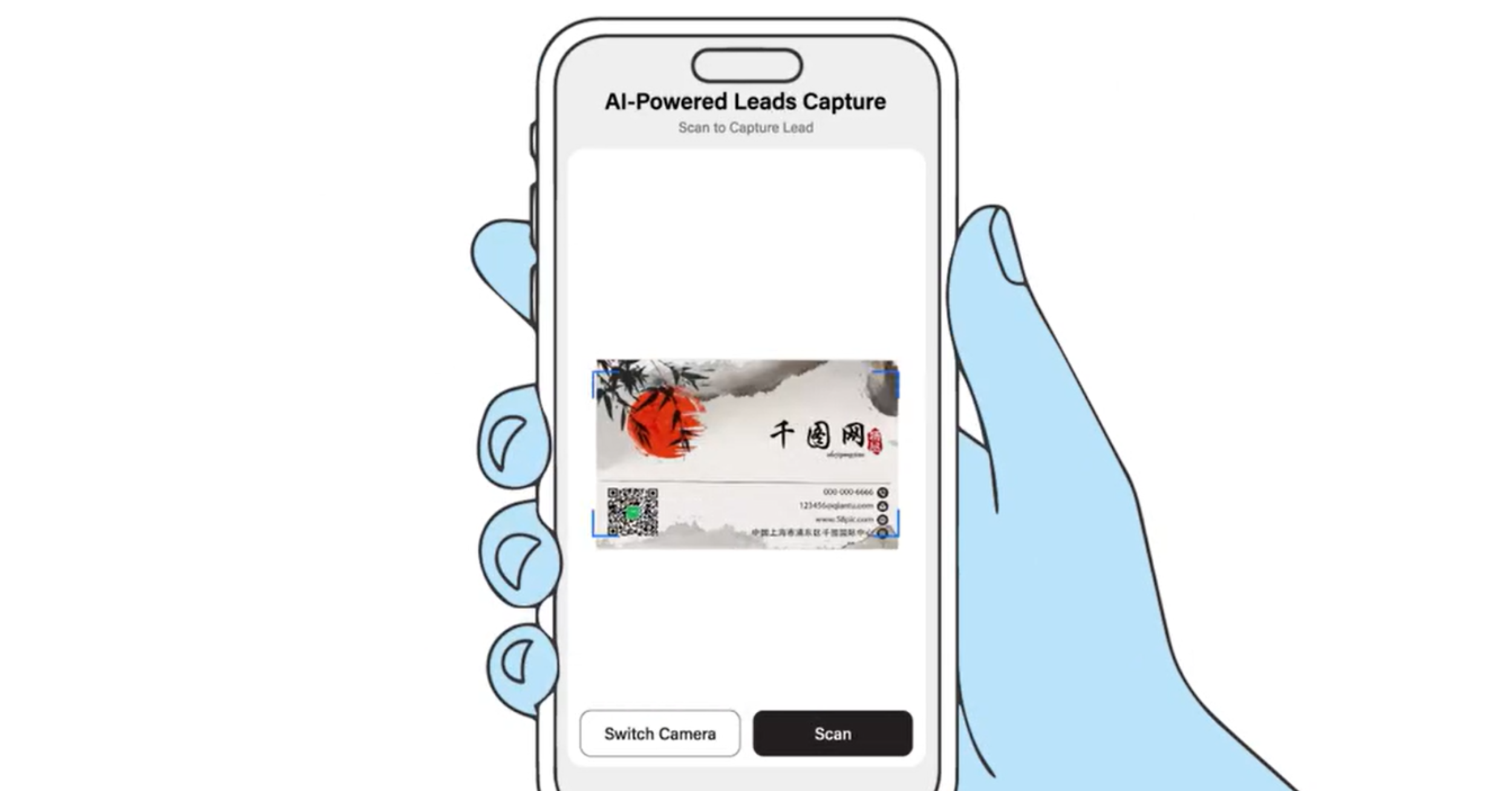
An AI lead scanner is a tool that reads a business card and turns it into a saved contact automatically. You scan a card with your phone, the AI captures the details, and the person becomes a lead in your app, ready to organise and follow up.
The point of AI lead capture is speed and accuracy without effort. Rather than reading each card and typing the details into your phone, you let the scanner do the work, so you capture more people in less time and with less chance of a mistake. It is the difference between leaving an event with a pile of cards and leaving with a clean, organised list of contacts.
What does the scanner do for you?
The scanner does the slowest job at any event for you: capturing everyone you meet. Every card you scan is saved as a lead in one place, so nothing gets lost and nothing waits to be typed up.
That has a few practical benefits. You keep pace with a busy room instead of falling behind, you avoid the errors that come from rushed manual entry, and you finish the day with contacts you can act on straight away. Because it is a smart lead scanner rather than a simple photo, the details are captured as a usable contact, not just an image you still have to read later.
Where can you use the AI lead scanner?
You can use the scanner at virtually any event, because it does not rely on special event integrations. There are no API kits or expensive QR code access required, so you are not limited to events that support a particular system.
That makes it useful across the board: conferences, exhibitions, trade shows, meetings, and everyday networking. Wherever you are handed a card or meet someone new, you can scan and save the contact in seconds. This freedom to scan leads in the app anywhere is a big part of what makes it practical, since real networking rarely happens only at events built around one platform.
Can it capture paper business cards?
Yes, the scanner turns traditional paper business cards into digital contacts. If someone hands you a printed card, you scan it and it becomes a saved contact, so you never lose a connection or spend time typing details in by hand.
This means the scanner is not only for a single event. It is also a fast way to digitise a backlog of old cards you have collected over time, bringing every contact into one organised place. The detail on this is in business card scanner: digitise paper cards.
How does it change the way you work an event?
The scanner changes an event from a collection exercise into a capture-and-follow-up process. Instead of gathering cards to deal with afterwards, you build an organised list of leads as you go, so the work is done by the time you leave.
That shift matters because follow-up speed is what turns conversations into business. With your leads already captured and organised, you can follow up while the conversation is still fresh, rather than days later when the detail has faded. You can see this applied end to end in the event lead capture app, and the follow-up side in instant follow-ups.
What happens to the leads you capture?
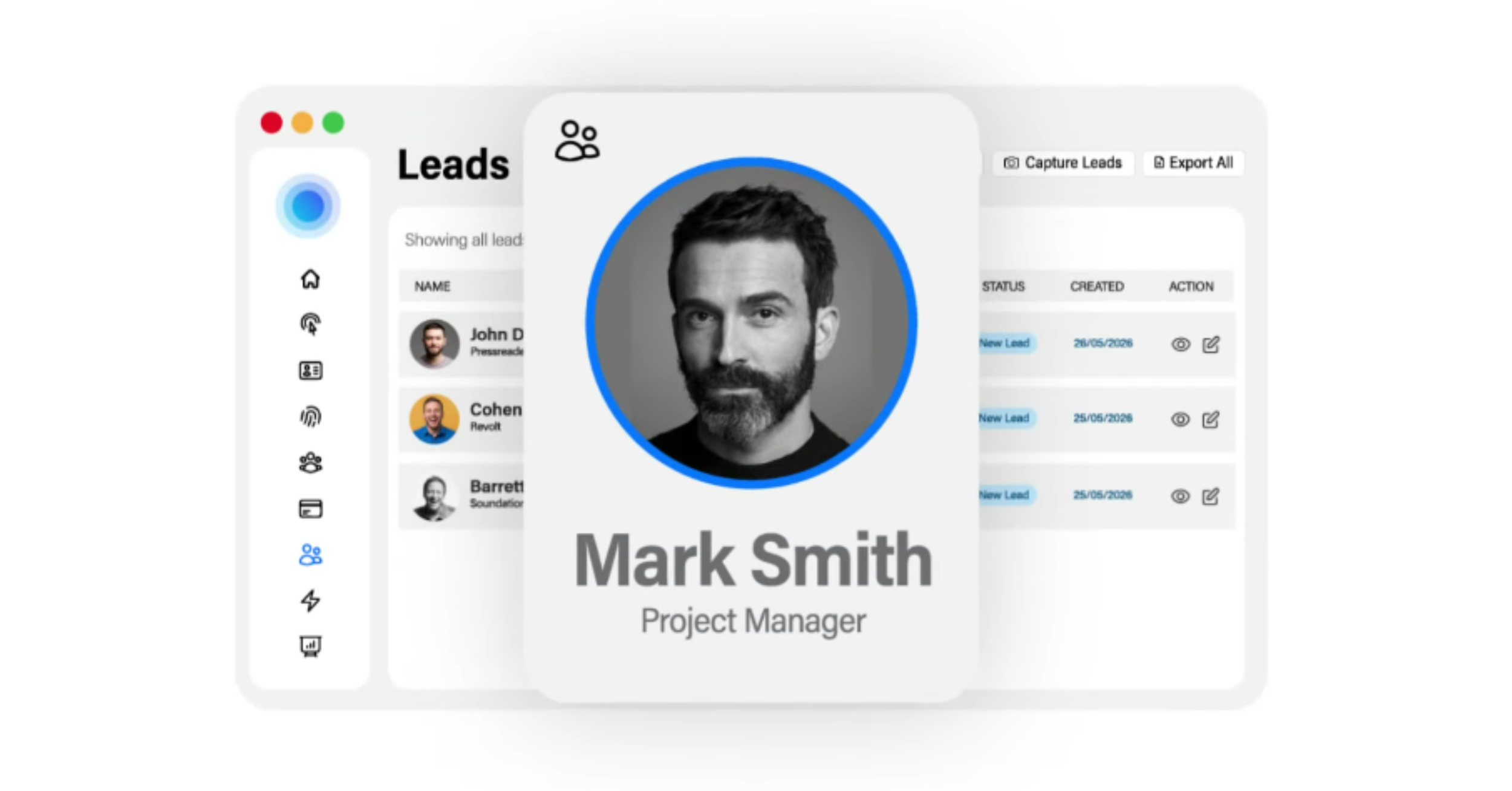
Every lead you capture is saved in the app for you to manage, follow up, and export. Your contacts sit in one place, so you can organise them, decide who to prioritise, and reach out promptly.
From there, you can export your contacts to your favourite CRM systems, so the leads you capture feed straight into your existing sales process rather than sitting in a separate tool. The workflow is covered in how to manage your leads in the app and how to export your leads to a CRM.
Why an AI lead scanner beats collecting cards by hand
An AI lead scanner beats the old way because it removes the two biggest problems with collecting cards: lost contacts and slow, error-prone data entry. A stack of paper cards is easy to misplace, tedious to type up, and often never actioned, which means the leads quietly go to waste.
Scanning each card as you go solves all three. You capture the contact immediately, the details are organised for you, and everyone you meet ends up in one place ready to follow up. The result is fewer wasted introductions and faster follow-up, which is where the value of an event actually comes from.
At TapiLink, we built the AI lead scanner so the effort of an event goes into meeting people, not into the admin afterwards. When you are ready, open the app and use Scan Lead to capture your first contact, and if you want an effortless way to share your own details in return, our NFC Business Cards let people open your profile with a single tap.
FAQ
Q1. What is an AI lead scanner?
Answer: An AI lead scanner is a tool that reads a business card and turns it into a saved contact automatically. You scan a card with your phone, the AI captures the details, and the person becomes an organised lead in the app, ready to follow up and export.
Q2. How fast is it to capture a lead?
Answer: The scanner captures a contact's details from a business card in seconds, so you can scan each person as you meet them rather than typing details by hand. That lets you keep pace with a busy event and capture everyone you meet.
Q3. Do I need special event access or equipment to use it?
Answer: No. The scanner needs no special event integrations, API kits or expensive QR code access, so it works at virtually any event, from large exhibitions to small meetings.
Q4. Can it capture paper business cards too?
Answer: Yes. The scanner turns traditional paper business cards into digital contacts, so a card someone hands you becomes a saved contact. It is also a fast way to digitise a backlog of old cards.
Q5. What happens to the leads I scan?
Answer: Your scanned leads are saved in the app in one place, where you can organise them, follow up, and export them to your favourite CRM systems, so they feed straight into your existing sales process.
Ready to revolutionize your networking approach? Explore TapiLink's range of premium NFC business cards and join the thousands of professionals who've already made the smart choice.