A business card scanner app turns a paper business card into a digital contact in seconds, so you never have to type card details in by hand again. You scan a card with your phone, the details are captured, and the person is saved as a contact you can organise and follow up. It works for the card you were handed today and for the stack of old cards in your drawer, which means every contact you have ever collected can live in one organised place instead of scattered across your desk.
At TapiLink, we built a paper business card scanner into the app so the contacts you have gathered over the years become usable data, not clutter. This guide covers what the scanner does, how it digitises a card, how to clear a backlog of paper cards, and what you can do with the contacts once they are in.
If you want the step-by-step for a single card, our guide on how to scan a paper business card into your phone walks through it, while this one covers the feature as a whole.
What is a business card scanner app?
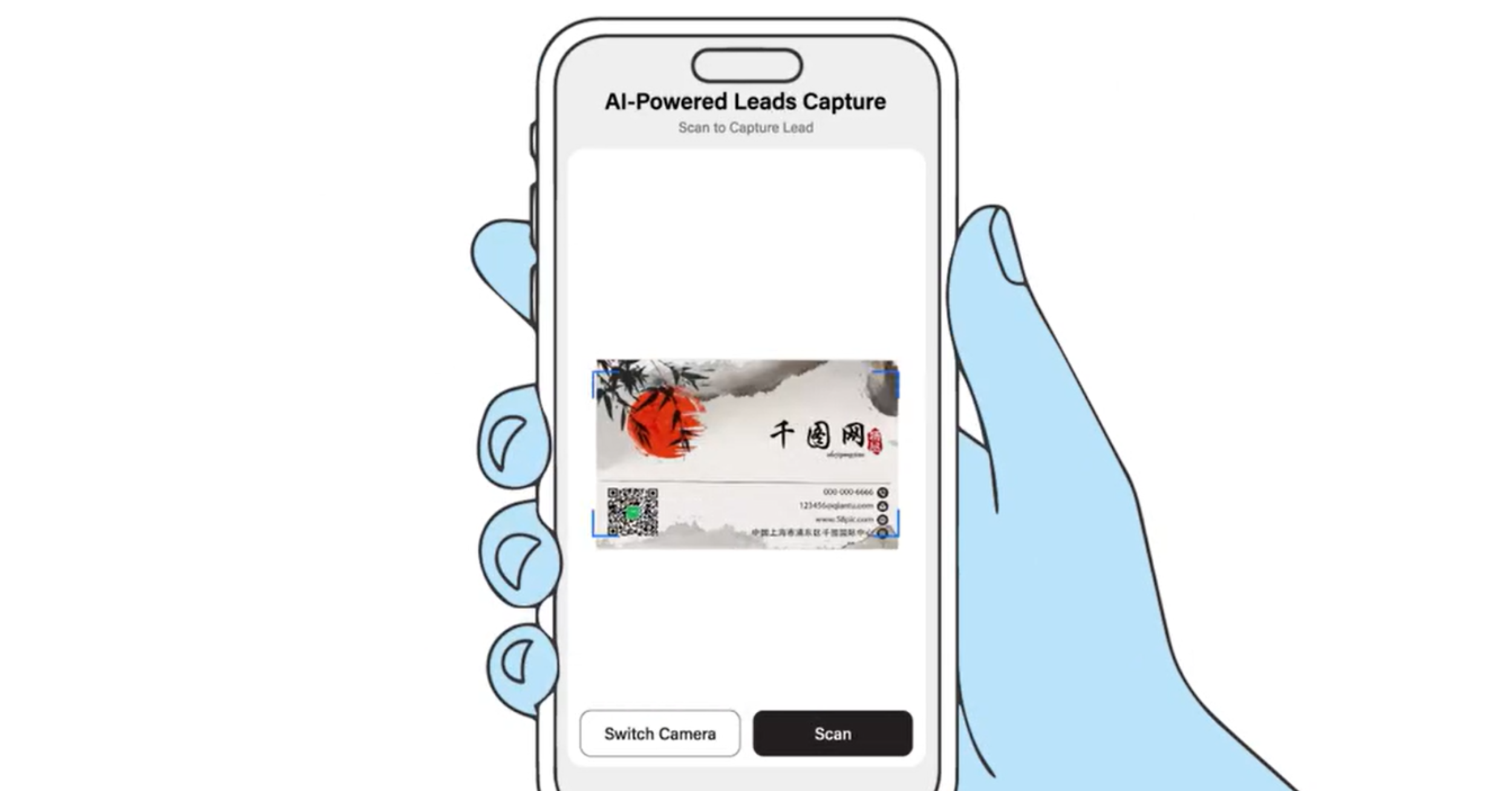
A business card scanner app is a tool that reads a paper business card and saves it as a digital contact. Instead of copying a name, number and email into your phone by hand, you scan the card and the app captures the details for you.
The result is a card to contact conversion that takes seconds rather than minutes. Every card you scan becomes a saved contact you can find, organise and act on, which is something a paper card sitting in a drawer can never be. It turns a physical pile into a searchable, organised list.
How does the scanner digitise a card?
The scanner digitises a card by reading it with your phone camera and capturing the details as a contact. You open the scanner in the app, point your camera at the card, and the details are pulled off and saved.
That is all there is to it, because the app does the reading and the typing for you. As a scan business card app, its whole purpose is to remove the slow, error-prone step of manual entry, so you get a clean contact without the effort. [VERIFY: confirm exactly which fields the scanner captures from a paper card, for example name, company, phone and email, before publishing.] The captured contact then lands in your app, ready to organise.
How do you clear a backlog of paper cards?
You clear a backlog by scanning your old cards one after another, turning the whole pile into digital contacts. Most people have a collection of cards gathered from events and meetings over the years, and a paper card scanner is the fastest way to make them useful.
Working through them is straightforward: scan each card, and it becomes a saved contact in the app. Once digitised, you can recycle the paper, knowing the details are safely stored and searchable. This is one of the most satisfying uses of the scanner, because it rescues contacts that were effectively lost in a drawer and brings them into one organised place you actually use.
What happens to the contacts you scan?
Every card you scan is saved in the app, where you can organise it, follow up, and export it. The contacts do not just sit there, they become part of the same organised system as the leads you capture at events.
That means a scanned paper card and a lead scanned at a conference end up in the same place, managed the same way. You can keep them tidy, prioritise who to contact, and reach out when it makes sense. Organising them is covered in managing your leads in the app.
Can you follow up and export scanned contacts?
Yes, scanned contacts can be followed up and exported just like any other lead. Once a card is digitised, the person is a contact you can act on, not a name you have to remember.
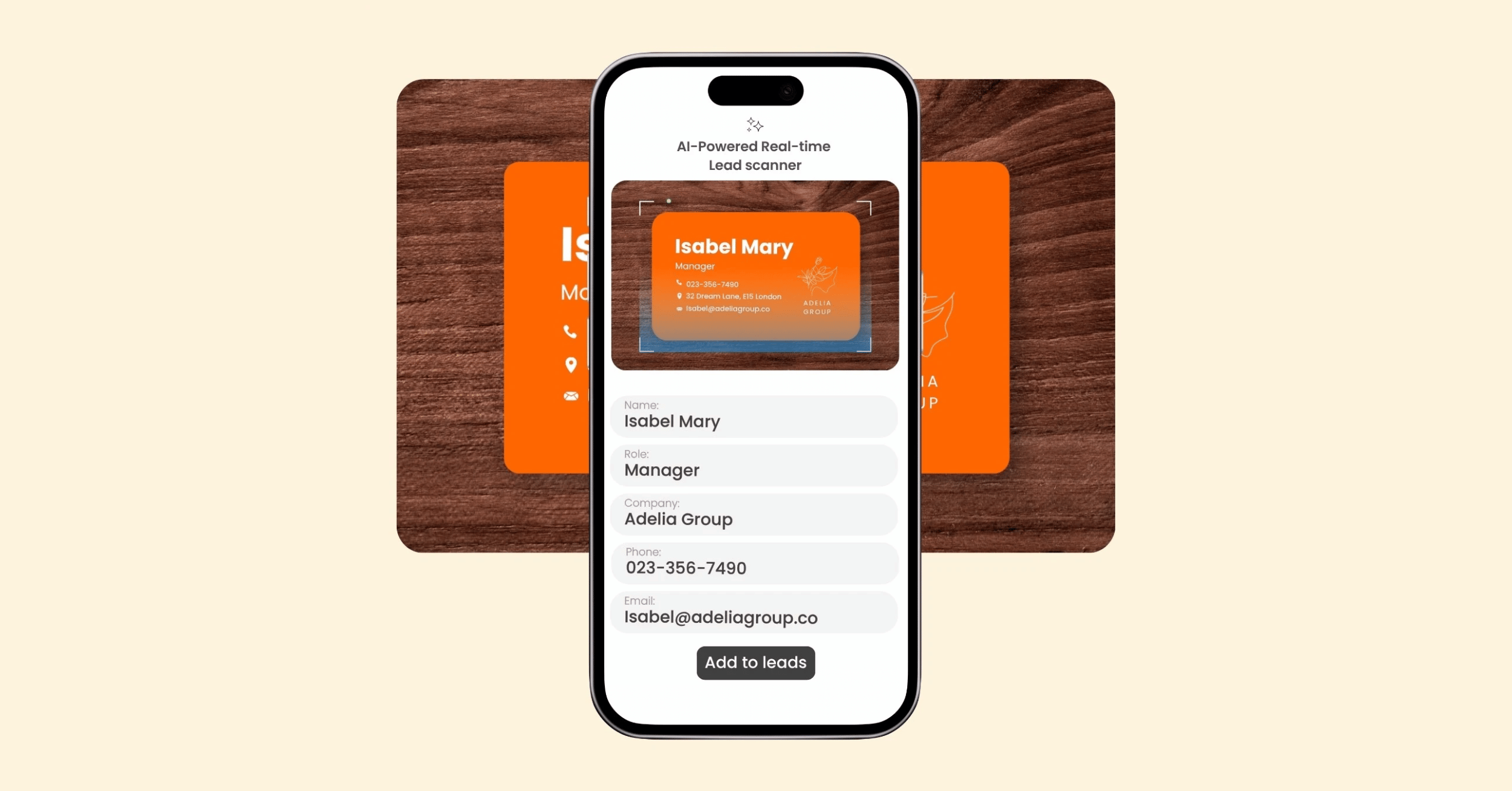
You can follow up while a new connection is still fresh, and export your contacts to your favourite CRM systems so they feed into your existing process. This is what makes scanning worthwhile beyond simply storing details: the contacts flow into the same follow-up and sales workflow as everything else. The export side is covered in how to export your leads to a CRM.
Why use a scanner instead of typing cards in?
A scanner beats manual entry because typing cards in is slow, tedious and easy to get wrong. A single card takes a minute or two to enter by hand, and a stack can take an evening, which is exactly why most people never do it and lose the contacts instead.
Scanning removes that barrier. Each card is captured in seconds, the details are saved accurately, and nothing is lost to the drawer. The real benefit is not just speed, it is that the contacts actually get saved at all, because a fast, easy process is one you will use where a slow one gets abandoned. For capturing new people at events specifically, the same scanning approach powers the AI lead scanner.
At TapiLink, we built the business card scanner so no contact is ever wasted, whether it is a card you were handed today or one you collected years ago. When you are ready, open the app and scan a paper card to turn it into an organised contact, and if you want an effortless way to share your own details in return, our NFC Business Cards let people open your profile with a single tap.
FAQ
Q1. What does a business card scanner app do?
Answer: A business card scanner app reads a paper business card and saves it as a digital contact. You scan the card with your phone, the details are captured, and the person becomes a saved contact you can organise, follow up and export, with no manual typing.
Q2. How do I scan a paper business card?
Answer: Open the scanner in the app, point your phone camera at the card, and the details are captured and saved as a contact. It takes seconds per card, so you can scan one card or work through a whole stack.
Q3. Can I digitise a stack of old business cards?
Answer: Yes. You can scan your old cards one after another, turning the whole pile into digital contacts. Once digitised, you can recycle the paper knowing the details are safely stored and searchable in the app.
Q4. What happens to the contacts after I scan them?
Answer: Scanned contacts are saved in the app in one place, alongside the leads you capture at events. You can organise them, follow up, and export them to your favourite CRM systems.
Q5. Why use a scanner instead of typing cards in by hand?
Answer: Because manual entry is slow, tedious and error-prone, which is why most people never do it and lose the contacts. Scanning captures each card in seconds and saves the details accurately, so the contacts actually get kept.
Ready to revolutionize your networking approach? Explore TapiLink's range of premium NFC business cards and join the thousands of professionals who've already made the smart choice.